Performing a URL Lookup - Console
 Updated 2 weeks ago
by
admin
Updated 2 weeks ago
by
admin
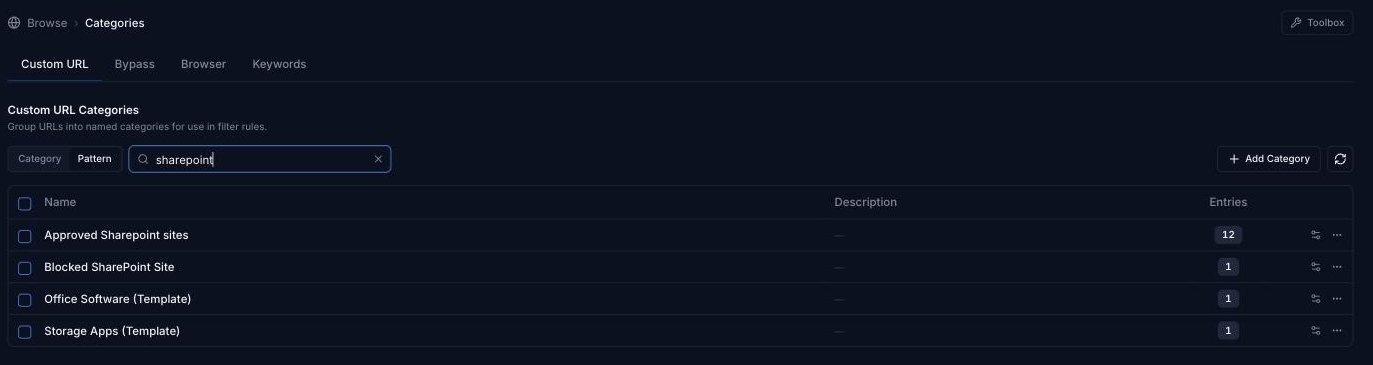
If you need to find out which web category a URL belongs to, use the URL Lookup tool in the Toolbox. To check whether a URL is already in one of your own Custom URL Categories, use the Pattern search on the Categories page.
google.com) or a specific URL (e.g. https://trustlayer.co.uk/wp-content/uploads/2025/08/TrustLayer-UK-Cyber-Resilience-Report-2025.pdf).Looking up a URL's web category (Toolbox)
The Toolbox is available at the top right of every Browse page.
- In the console, open any Browse page (for example Rule Builder).
- Click Toolbox in the top right corner.
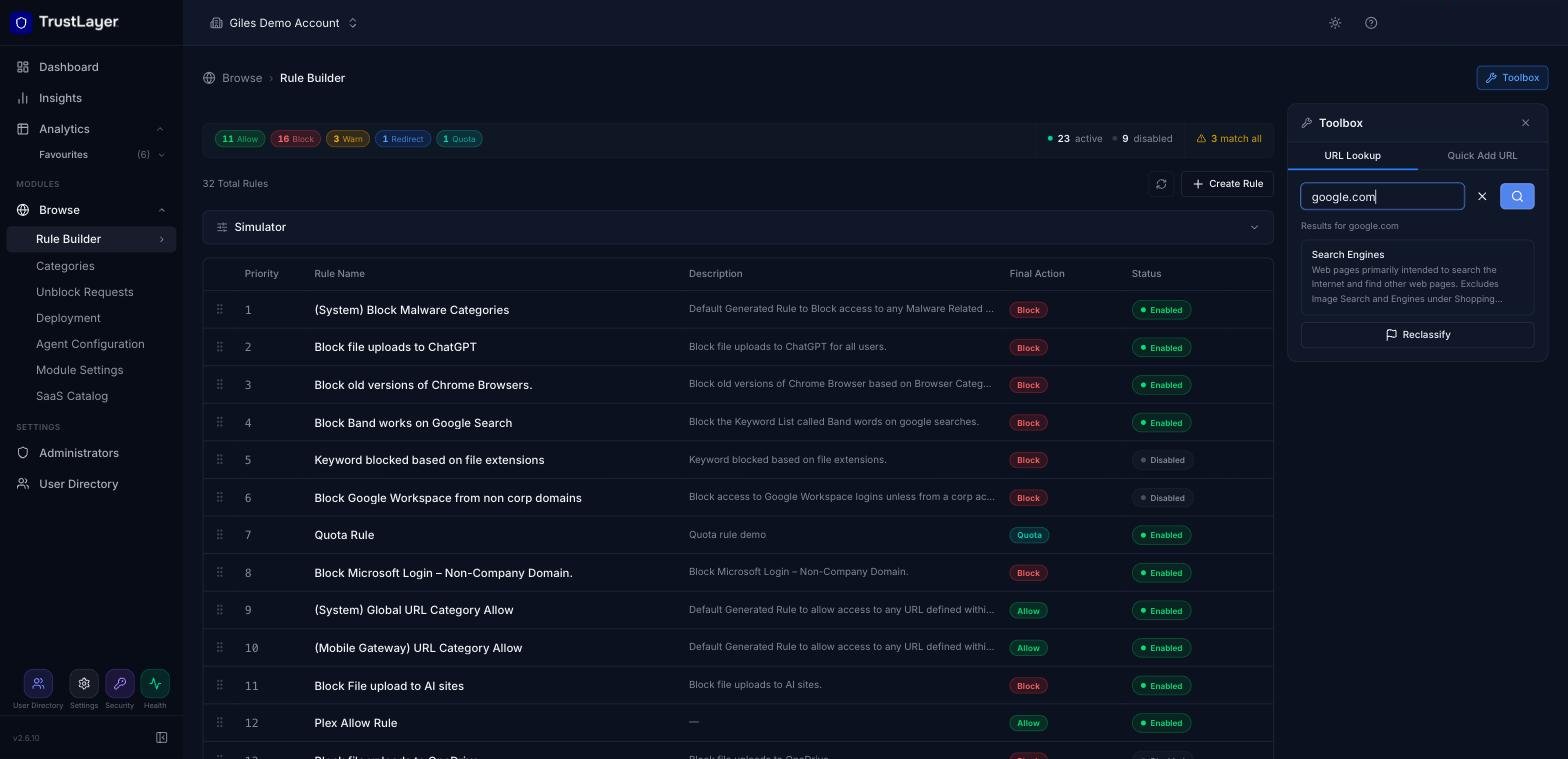
- On the URL Lookup tab, enter the domain or URL and press Enter (or click the search button).
The category the URL belongs to is shown under Results for, with a short description of the category. You don't need to enter the full URL: for example, google.com is enough to look up www.google.com.
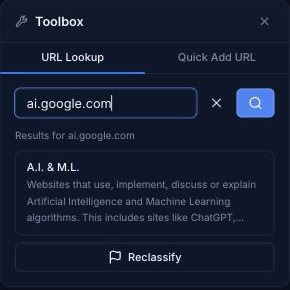
Note that subdomains can be classified differently. For example, ai.google.com is classified as A.I. & M.L. rather than Search Engines:
Checking your Custom URL Categories
To see which of your own Custom URL Categories already contain a domain or URL:
- Go to Browse ⟶ Categories and open the Custom URL tab.
- Next to the search box, select Pattern (instead of Category).
- Type the domain or part of the URL and press Enter.
The list is filtered to only the categories that contain a matching pattern.
Requesting Reclassification of a URL
With billions of websites on the Internet, constantly changing hands, a URL may occasionally be classified incorrectly. If so, you can ask for it to be reclassified.
- Look up the URL in the Toolbox as described above.
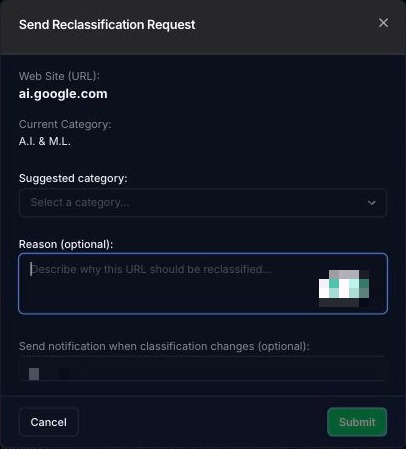
- Under the result, click Reclassify. The Send Reclassification Request window opens, showing the URL and its current category.
- Choose the Suggested category.
- Optionally, add a Reason and an email address under Send notification when classification changes.
- Click Submit.
If you give an email address, you'll be emailed once the request has been processed. Requests are checked by the reclassification team to make sure URLs are classified consistently.
Requesting reclassification from Web Activity
You can also request reclassification directly from your traffic data:
- Go to Analytics ⟶ Web Activity, choose a timespan and click Run Report.
- Click the ⋮ menu at the end of the row for the URL.
- Select Request Reclassification and complete the window as above.
The same menu also has Add to URL Category and Open Rule... (opens the rule that handled the request).
