How to find your USS Account UUID
 Updated 2 weeks ago
by
admin
Updated 2 weeks ago
by
admin
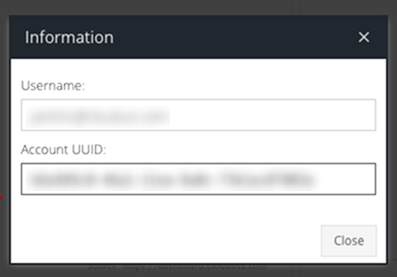
Every USS account has a unique Account UUID, a 36-character ID such as 84d84c60-336e-11e8-a256-39983276a6a1. You may be asked for it by TrustLayer support (including the support chat, so it can check your logs), or when you connect a service such as Posture Management.
In the dashboard (dashboard.clouduss.com)
- Sign in to the dashboard and click Security Modules in the left-hand menu.
- Right-click your account's Home tab (the tab with the house icon and your account name, above the module page).
- Choose the option to copy the account UUID. It's copied to your clipboard, ready to paste.
In the console (console.clouduss.com)
The console doesn't show the Account UUID yet. Use the dashboard steps above, or ask TrustLayer support and we'll confirm it for you.
Using it in the support chat
If the support chat can't match your organisation to a USS account, it asks for your Account UUID. Paste it into the chat. For your security, the chat only uses it if your email address is an administrator on that account.