What information is needed to log a support ticket.
 Updated 5 months ago
by
admin
Updated 5 months ago
by
admin
This knowledge base article outlines the required information for submitting a support ticket to TrustLayer.
How to log a support ticket
Email - support@trustlayer.co.uk
LiveChat - https://trustlayer.co.uk/support
Phone - +44(0) 845 230 9590
Information needed for every Support Ticket Request
- Primary Contact Name and Number.
- Company Name as it appears in the dashboard.
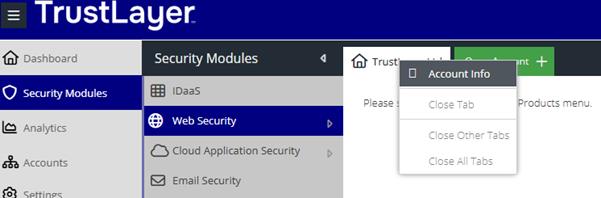
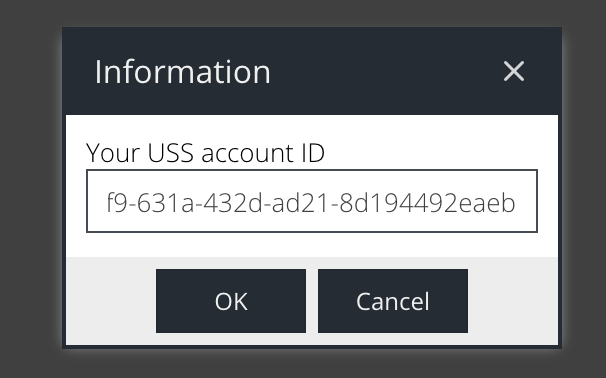
- UUID from the dashboard: This can be found by right-clicking on the company name in the dashboard under Security Modules
Cloud MFA
When logging a ticket for Cloud MFA, please provide the following information.
- Confirmation of which Authentication Client you are raising a ticket for, i.e. Radius, Windows Logon, IIS or ADFS.
- A detailed description of the problem.
- The SMS Passcode logs from the Event Viewer of the server that has the authentication software installed.
Compliant Email Archive (CEA)
When logging a ticket for CEA, please provide the following information.
- Confirmation of the EMS deployment mode, DNS mode (MX) or connector mode?
- A detailed description of the problem.
- The GUID of the email, this can be obtained via the EMS activity reports.
Email Security(EMS)
When logging a ticket for EMS, please provide the following information.
- Confirmation of the EMS deployment mode, DNS mode (MX) or connector mode?
- A detailed description of the problem.
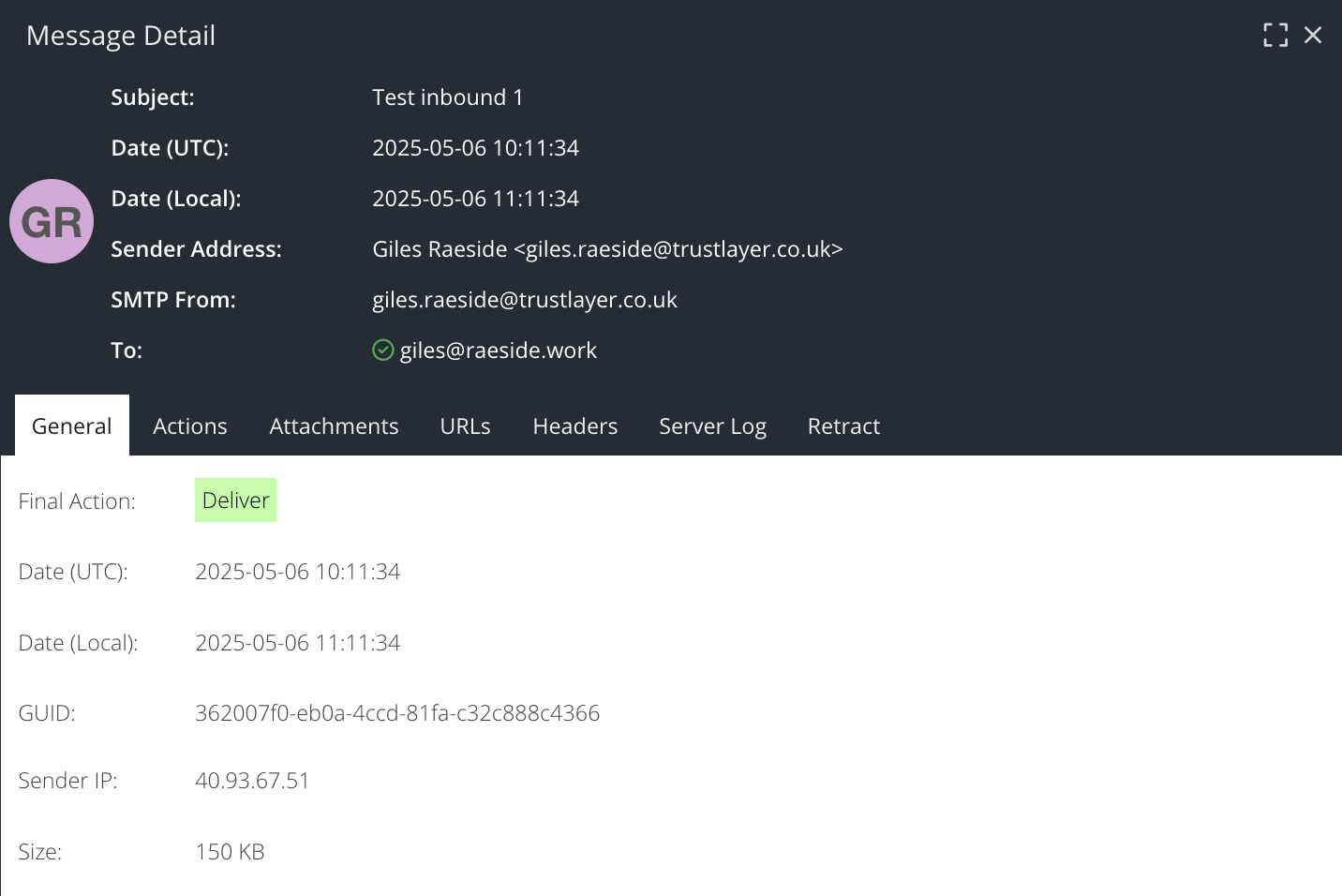
- The GUID of the email, this can be obtained via the EMS activity reports.
Posture Management
When logging a ticket for Posture Management, please provide the following information.
- Confirmation of which Connector you are raising a ticket for, i.e. USS Connector, M365, Azure, AWS, GCP or Salesforce.
- A detailed description of the problem.
Security Awareness Training (SAT)
When logging a ticket for SAT, please provide the following information.
- Confirmation of which SAT environment you are using, UK or DE.
- A detailed description of the problem.
Web Security (WS) and CASB
When logging a ticket for Web Security or CASB, please provide the following information.
- Confirmation of the Agent deployment, i.e. Windows Agent, Mac Agent, Gateway or Mobile Gateway?
- The Agent Version and Agent Configuration Profile that is assigned.
- A detailed description of the problem. If the problem relates to a URL or Application not loading correctly, please also include a HAR file and debug logs from the agent.